
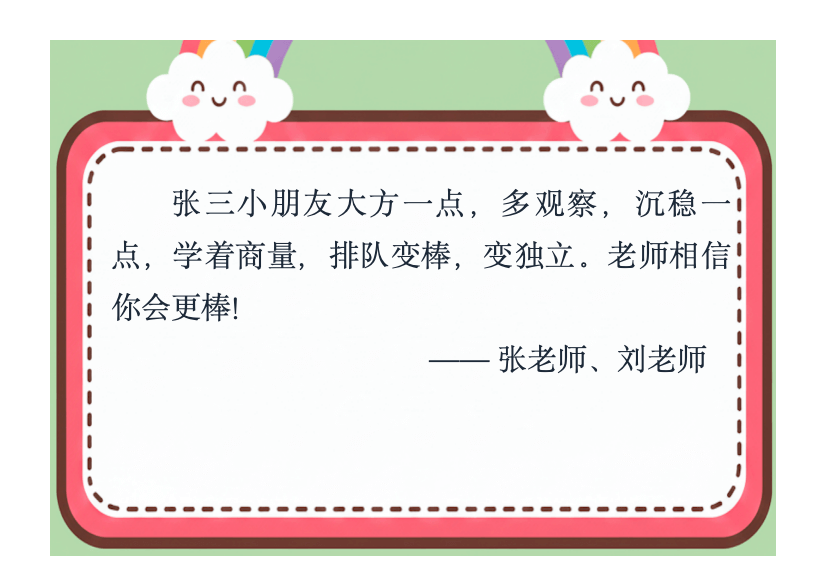
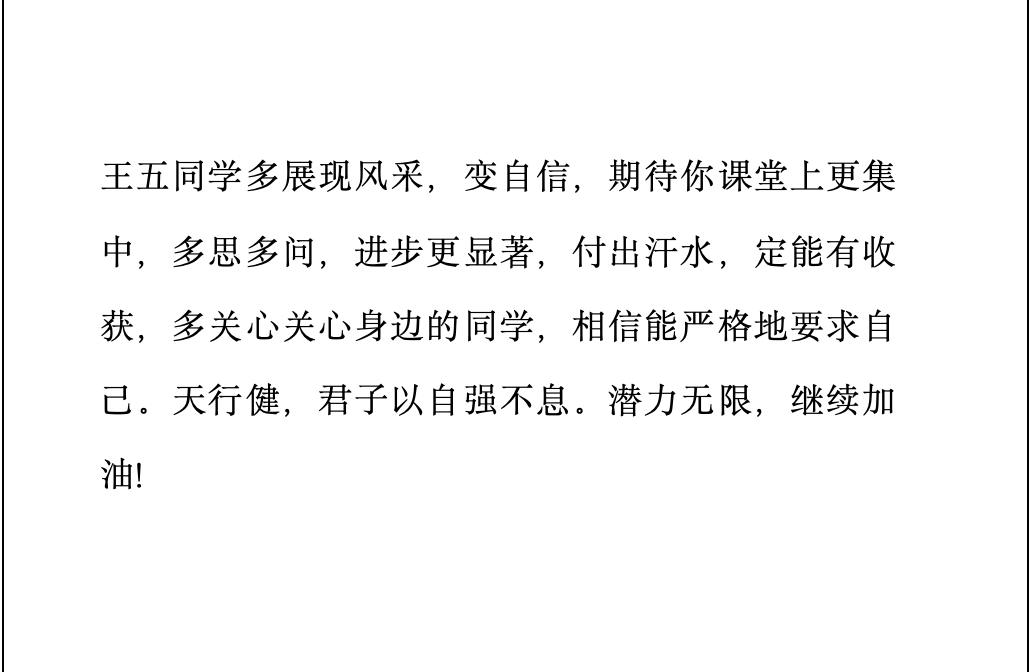
生成的幼、小、中、高学生评语效果示例
多种精美模板,一键生成高清评语图文、纯文字评语



导入学生名单
💡 第一次使用?
《如何使用评语生成器指南》配置评价维度
需要帮助?
关注公众号获取技术支持、使用技巧和产品更新
💡遇到问题或有建议?公众号留言,我们会及时回复
开通步骤
首次试用免费,导出功能按需开通
先体验生成效果,确认合适后再开通导出,不影响日常试用和功能了解。
先免费试用生成评语
输入学生信息后即可体验生成效果,首次试用免费。
需要导出时再开通
点击导出后按提示完成 6 元开通,永久解锁导出功能。
联系公众号领取使用码
支付成功后留言联系,我们会发送专属永久使用码,输入后即可使用导出功能。
Why Choose This Comment Generator?
高效快捷
告别传统的手写痛苦。支持Excel批量导入学生名单,只需几分钟,即可为全班几十名学生生成个性化评语。
分学段定制
覆盖幼儿园、小学、中学三个阶段,语料风格量身定制。新增“名言金句”功能,让评语不仅精准,更具文采。
AI 驱动
采用先进的生成式AI算法,智能组合评价维度与高分语料。生成的评语通顺流畅、不机械,拒绝千篇一律的模板感。
格式灵活
生成结果支持一键导出为Word文档或Excel表格,方便您直接复制到教务系统或打印粘贴到素质报告单上。
Three Steps To Finish Class Comments
导入名单
粘贴姓名或上传Excel
选择维度
点选学生表现关键词
生成导出
AI生成并一键导出
How To Use The Student Comment Generator
- 1
Import the student roster by pasting names or uploading Excel.
- 2
Choose the school level and evaluation dimensions.
- 3
Generate comments in batches and refine them if needed.
- 4
Export to Word or Excel when you are ready to save or submit.
Frequently Asked Questions
Is this student comment generator suitable for kindergarten, primary school, and secondary school teachers?
Yes. It includes dedicated modes for kindergarten, primary, and secondary use. Kindergarten comments focus more on habits, interaction, and growth, while primary and secondary modes are better suited to classroom performance, study attitude, and academic feedback.
How can I write end-of-term student comments faster without making them sound repetitive?
That is exactly what this tool is designed for. It generates comments from selected evaluation dimensions to reduce repetitive wording, while still letting teachers edit each result so the final version feels more natural and student-specific.
Is the first trial free, or do I need to pay before I can test it?
The first trial is free. You can review the generated style and workflow first, then decide later whether you want to unlock export.
Can I import a class roster from Excel? What input methods are supported?
Yes. You can import student names from Excel or paste a text roster directly. This makes the tool much faster for teachers who need to handle a full class at once.
Can I edit the generated comments for each student?
Yes. Every generated comment can be refined manually. Many teachers use the output as a strong first draft, then add student-specific progress, personality, or encouragement before finalizing it.
What teaching or school scenarios is this tool best for?
It works well for end-of-term comments, report books, homeroom feedback, kindergarten growth records, parent communication, and any workflow that requires batch student evaluation.
Can I generate comments for a full class in batches?
Yes. You can import a full class roster, assign dimensions for each student, and generate comments in batches, which is especially useful during end-of-term reporting periods.
Can the exported content be used in report books, growth records, or parent-facing feedback?
Yes. Exported Word and Excel files are convenient for copying, editing, filing, and adapting to report books, growth records, homeroom materials, and parent communication.
Is this only for homeroom teachers, or can other teachers use it too?
It is useful beyond homeroom teachers. Subject teachers, kindergarten teachers, grade-level teachers, and other educators who need student feedback can all benefit from it.
Can I control the length of the generated comments?
To a degree, yes. Selecting more evaluation dimensions usually creates fuller comments, while selecting only core points keeps the output shorter. You can also trim or expand the wording manually after generation.
Can this tool create different styles of comments for improving students, quiet students, active students, or students with uneven subject performance?
Yes. The tool supports multiple evaluation dimensions such as progress, seriousness, activity, steadiness, introversion, cooperation, and study attitude, making it easier to produce differentiated comments rather than one generic style for everyone.
Does this tool replace teacher judgment?
No. It works best as a writing assistant that helps teachers turn their observations into clear draft comments more efficiently. The final review, tone, and suitability still remain in the teacher’s hands.
Can I just try the generated effect first without unlocking export yet?
Yes. You can first test the generation quality, writing style, and workflow, then decide later whether you want to unlock export.
Is this student comment generator suitable for new teachers or teachers who have just taken over a class?
Yes. It is especially helpful for teachers who are writing end-of-term comments for a new class, building their own comment style library, or trying to reduce the pressure of starting from a blank page.